
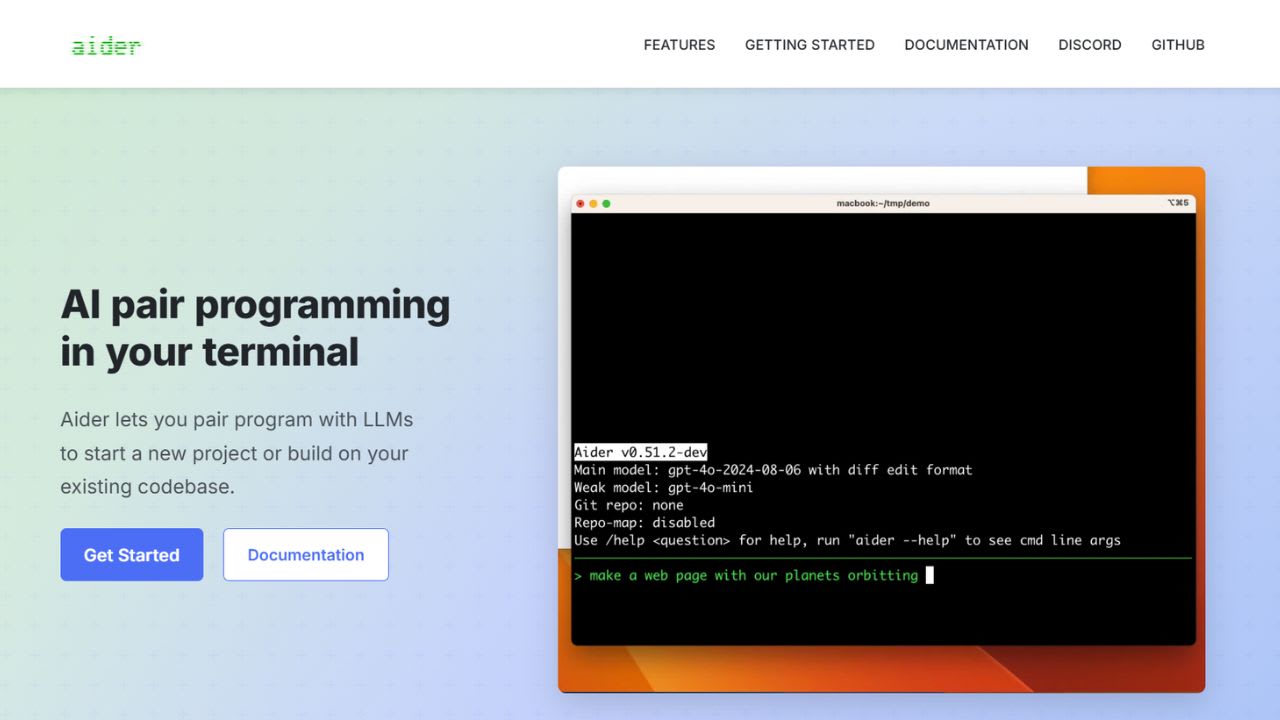
What is Aider?
Aider brings pair programming straight into your terminal. Paul Gauthier built this open-source tool to connect large language models with your local Git repository. You chat with the model in plain English, and Aider edits source files for you. The tool maps your entire codebase before making changes, so it understands how files relate in bigger projects.
It supports over 100 programming languages, including Python, JavaScript, Rust, Go, Ruby, PHP, and C++. The tool works with Claude 3.7 Sonnet, GPT-4o, OpenAI o1, o3-mini, DeepSeek R1, and Chat V3. You can also point it at local models through Ollama or any OpenAI-compatible endpoint. Each change gets staged and committed to Git automatically with a clean message. You review diffs or roll back with /undo.
Aider stays out of your way. You keep using your favorite editor, and the tool notices files you change by hand. Voice input works too, so you can dictate features instead of typing them. Linters and tests run after edits, and Aider fixes errors it finds. The pricing stays simple: the software is free, and you pay only for the API tokens you actually use.
5 Key Features of Aider:
- Repository mapping for cross-file context: Aider scans your Git repo and builds a structured map of function signatures, classes, and file relationships. This map gets passed to the LLM with every prompt, so the model sees your project architecture without you adding every file to the chat. Token usage stays efficient because Aider includes relevant signatures, not full file contents. The mapping helps the tool perform coordinated changes across multiple files in a single request.
- Automatic Git commits with clean messages: Every edit Aider makes gets committed to your local Git repo with a descriptive message. You can run git diff, cherry-pick, or revert any change using standard Git tools. The /undo command rolls back the last commit instantly. This safety net lets you experiment freely without worrying about breaking the working tree, since every AI change leaves an auditable trail.
- Multi-model support across cloud and local LLMs: The tool connects to Claude 3.7 Sonnet, GPT-4o, OpenAI o1 and o3-mini, DeepSeek R1 and V3, Gemini, Groq, and dozens more. Local models run through Ollama, LM Studio, or any OpenAI-compatible endpoint. You can switch models mid-chat with the /model command to compare outputs, save tokens, or hand off planning and editing to different models using architect mode.
- Voice, image, and web page input: You can dictate feature requests or bug fixes by speaking instead of typing. Drop screenshots, mockups, or reference docs into the chat for visual context. Add URLs and Aider fetches the page content for the model to read. The IDE integration also reads inline AI? comments from your editor, so you can request changes by adding notes directly to your source files.
- Lint and test integration after every edit: Aider runs your linter and test suite automatically after each change. If errors show up, the tool reads the output and fixes them in a follow-up commit. You define which commands to run in your config file. This loop catches regressions early and keeps the codebase clean without manual intervention between every prompt.
Verdict
Aider fits working developers who live in the terminal. The tool serves people who already know Git, prefer command-line workflows, and want full control over which model handles which task. It shines for refactoring legacy code, shipping features across multiple files, and adding production code to existing repos. The transparent Git history and model flexibility set it apart from closed IDE tools like Cursor or Copilot.
Best For: Mid-level to senior developers comfortable with Git and shell environments who want a transparent, model-flexible coding assistant without IDE lock-in or subscription fees.
Weakness: Aider has no GUI and zero hand-holding for beginners. New developers without command-line experience or Git fluency will struggle with setup, API key management, and shell workflows. Token costs can also climb fast on large repos if you do not manage chat context carefully.
Aider FAQs
Similar Tools like Aider

Bolt AI is a browser-based app builder from StackBlitz that turns plain English prompts into working full-stac…
Gemini Code Assist is Google’s AI coding tool created for solo developers. The free Individual plan requires n…

Replit launched Agent 4 as its fastest and most versatile coding agent yet. The release dropped alongside a $4…

Devin is an autonomous AI coding agent built by Cognition Labs. It works more like a full software engineer th…

v0 by Vercel is a collaborative assistant that helps you build full-stack apps, agents, and websites through n…

AI Code Converter is a versatile tool designed to transform natural language or existing code into the syntax …

Claude Code is Anthropic’s coding tool that works in your terminal and connects to your IDE. You describe a ta…

Amazon CodeWhisperer is a machine learning-powered code generator, that delivers real-time code suggestions to…
Ready to try Aider?
Discover what Aider can do for you.
Try Aider nowAider reviews from real users
Verified visitor reviews — one per person, edits welcome.
Loading reviews…