
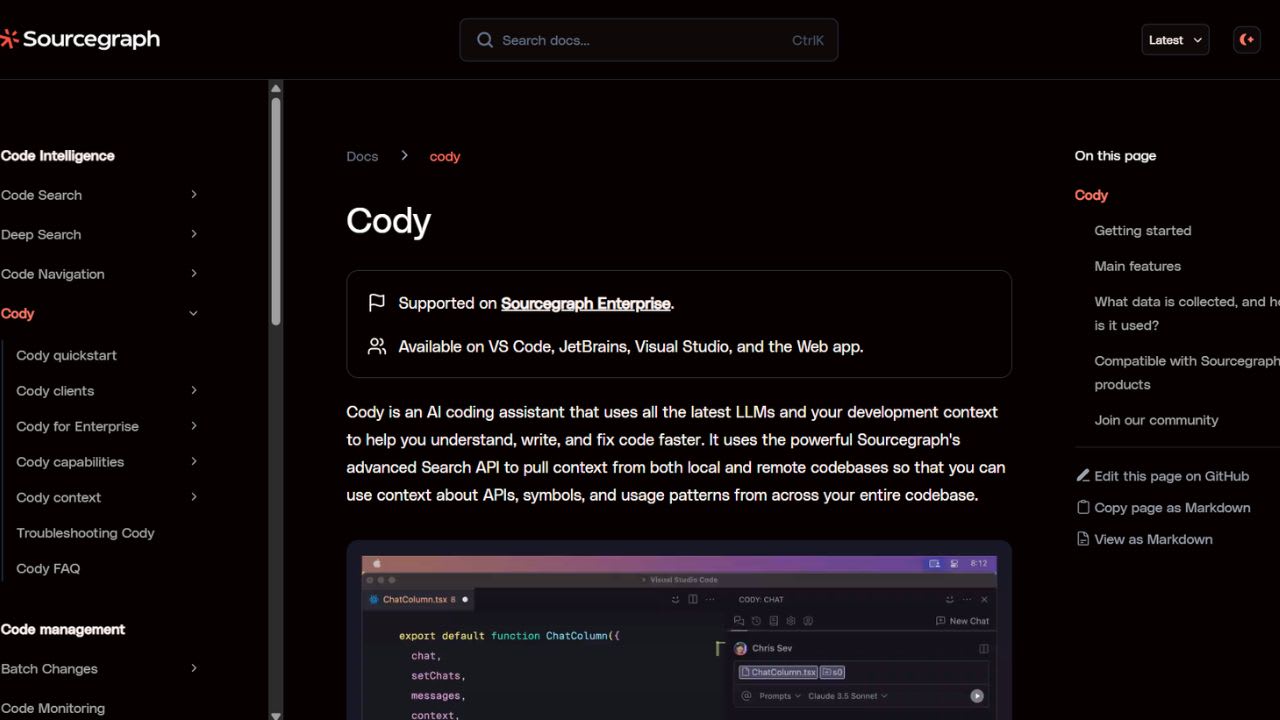
What is Sourcegraph Cody?
Cody is a coding assistant from Sourcegraph that plugs directly into your IDE. It runs inside VS Code, JetBrains, Visual Studio, and the Sourcegraph web app. The tool reads your codebase and uses that context to answer questions, complete lines, and edit files. Sourcegraph built Cody on top of its Search API, so the assistant pulls context from both local and remote codebases at the same time.
Developers can pick the language model they prefer. Cody supports Claude, Gemini Pro, and OpenAI’s GPT models, which separates it from competitors that lock you into a single option. The chat panel handles questions about specific files, symbols, or whole repositories. Autocomplete suggests single lines or full functions as you type. Inline edits let you fix or refactor code without leaving the file.
Cody also ships with a prompt library. You save common tasks as reusable prompts and share them with teammates. The tool works across any programming language because the underlying models train on broad data. Sourcegraph sells Free, Pro, and Enterprise tiers. Enterprise plans add SOC 2 Type 2 compliance, single-tenant cloud hosting, and the option to bring your own LLM keys through Amazon Bedrock, Azure OpenAI, or Google Vertex AI.
Top 5 Features of Cody:
- Chat with full codebase context: The chat panel reads your open file and repository by default. You can @-mention specific files, symbols, or remote repositories to sharpen any answer. Cody runs semantic search through the Sourcegraph index, so questions about cross-file usage patterns return results that match how an engineer would actually look up the same information.
- Autocomplete and Auto-edit: Cody suggests single-line and multi-line completions as you type. The Auto-edit feature watches your cursor movement and recent edits, then proposes contextual modifications after you make at least one character change. This catches refactors before you start them by hand and reduces repetitive typing across a file.
- Custom Prompt Library: You save any repeated task as a prompt template and share it across your team. Built-in prompts cover documentation, unit test generation, code explanation, and inline fixes. Teams use this feature to standardize how engineers write tests, format commit messages, or document new functions across services.
- Multi-Model Selection: Cody lets you switch between top language models for different tasks. The platform offers Claude 3.5 Sonnet, Claude 3 Opus, GPT-4o, and Gemini 1.5 Pro among others. Developers often pick Claude for complex reasoning and lighter models for fast completions, which keeps both quality and speed under your control. Sourcegraph
- Enterprise Codebase Search Integration: Cody connects directly to Sourcegraph Code Search, which indexes your entire codebase across multiple repositories. The assistant fetches context from remote repos you have not cloned locally. Context Filters let admins block specific repositories from chat or autocomplete results, which helps teams control what data the assistant touches.
Verdict
Sourcegraph Cody earns its place as a strong pick for developers who care about codebase context more than flashy interface tricks. The tool shines on large, multi-repository projects where understanding cross-file relationships actually matters. Its biggest edge over GitHub Copilot and similar rivals is model freedom you choose between Claude Sonnet 4, GPT-4o, Gemini 1.5 Pro, and others based on the task in front of you, instead of getting locked into one provider’s roadmap.
Best For: Individual developers and engineering teams who work on large, multi-repository codebases where context across services matters most. Cody fits especially well for users who want the freedom to pick their own LLM rather than commit to a single provider. The free tier makes it a low-risk option for hobbyists, while the Enterprise plan suits regulated companies that need SOC 2 compliance and self-hosted deployment.
Weakness: Reviewers mention that Cody requires effort to learn before you get the best results, and the tool offers no clear guidance on which model fits which use case. Output quality depends heavily on how well you craft your prompts. Some users also report that suggestions occasionally miss the intent of detailed instructions, so beginners may feel friction during the first week of use.
Sourcegraph Cody FAQs
Similar Tools like Sourcegraph Cody

Spellbox is an AI programming assistant tool that uses artificial intelligence to assist developers in coding.…

AI Code Converter is a versatile tool designed to transform natural language or existing code into the syntax …

AutoRegex, is a code assistant and developer tool enhanced by AI, simplifying the task of producing Regex and …
Gemini Code Assist is Google’s AI coding tool created for solo developers. The free Individual plan requires n…

Amazon CodeWhisperer is a machine learning-powered code generator, that delivers real-time code suggestions to…

Tabby is an open-source coding assistant that runs on your own hardware. It works as a self-hosted alternative…

Tabnine is an AI-powered code completion assistant that aims to boost the efficiency and quality of software d…

Cline is an open-source coding agent that runs inside your code editor or terminal. You can install it as an e…
Ready to try Sourcegraph Cody?
Discover what Sourcegraph Cody can do for you.
Try Sourcegraph Cody nowSourcegraph Cody reviews from real users
Verified visitor reviews — one per person, edits welcome.
Loading reviews…