
What is Pieces?
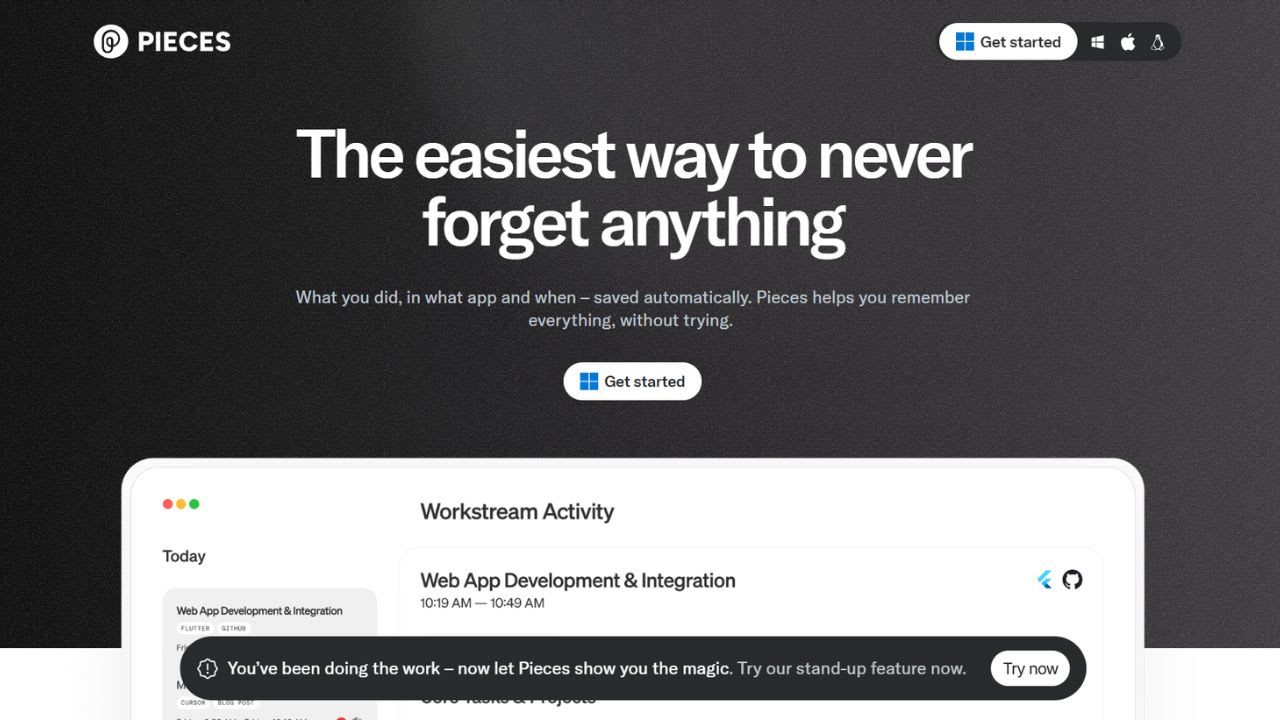
Pieces acts like a memory layer that runs directly on your computer. It tracks activity across browsers, code editors, terminals, and chat applications, then stores that context automatically so you can retrieve it later. Instead of manually bookmarking files or saving notes, the platform captures code snippets, links, conversations, and documents in the background. Users can later ask questions about tasks or projects from weeks earlier, and the assistant responds using their real activity history rather than generating generic answers.
The platform is created with a local-first approach. By default, all data stays on the user’s device unless cloud sync is enabled. Pieces integrates with popular developer tools, including VS Code, Chrome, JetBrains IDEs, and Obsidian. It also offers an MCP server that connects saved context with AI coding tools such as Cursor, Claude, GitHub Copilot, and Goose.
The free plan includes support for local LLMs through Ollama, along with up to nine months of memory retention. The Pro plan, priced at $18.99 per month, adds access to cloud-based models like Claude Opus, GPT-5, and Gemini 2.5. Unlike many coding assistants that focus only on code generation, Pieces is built around long-term context and memory. It combines activity tracking, snippet management, and AI chat into a single workspace, making it useful for both independent developers and small teams.
Top 5 Features of Pieces:
- Long-Term Memory Across Your System: Pieces continuously captures activity across apps on your computer and turns it into searchable memory. Users can ask questions like “What did I work on yesterday?” or “What did Mack mention about the pipeline issue?” and receive answers based on their actual tabs, chats, and workflows. The free plan stores memory for up to nine months.
- MCP Server for Shared AI Context: The built-in Model Context Protocol (MCP) server connects saved memory with tools such as Cursor, Claude Desktop, GitHub Copilot, Codex CLI, and Goose. This allows AI assistants to access your existing context automatically, reducing the need to repeatedly explain projects or paste background information into prompts.
- Smart Snippet Management: Pieces makes it easy to save and organize code snippets from IDEs, screenshots, web pages, and local files. The platform automatically generates titles, adds tags, and creates a searchable archive. Semantic search helps users find snippets based on meaning and intent instead of only filenames or keywords.
- Flexible Multi-LLM Support: Users can choose which AI models power their workflow. The free plan supports local models through Ollama without usage limits, while the Pro plan adds access to cloud-based models such as Claude Opus, GPT-5, and Gemini 2.5. Developers can also connect their own API keys for more control over usage and costs.
- Privacy-First Design: Pieces follows a local-first architecture where data processing happens on-device by default. Cloud sync is optional and only enabled by user choice. Unless cloud features are turned on, code, conversations, and documents remain on the local machine. This setup is especially useful for teams working with proprietary software, financial data, healthcare systems, or other sensitive projects.
Verdict:
Pieces solves a real problem most coding assistants ignore: remembering what you already did. GitHub Copilot writes new code, Cursor edits existing files, but neither one knows what you discussed in Slack last Tuesday or which Stack Overflow answer fixed your build error two weeks ago. Pieces fills that gap. The local-first design also makes it usable in environments where sending code to OpenAI or Anthropic is off-limits.
Best For: Solo developers and small engineering teams juggling multiple projects, IDEs, browsers, and chat apps, plus security-conscious coders who cannot send proprietary source code to cloud-only AI services.
Weakness: Running local LLMs on the free plan needs decent hardware, roughly 8GB of VRAM for usable speeds. Older laptops will struggle, which pushes some users onto the $18.99 monthly Pro plan sooner than the free tier suggests.
Pieces FAQs
Similar Tools like Pieces

Aider brings pair programming straight into your terminal. Paul Gauthier built this open-source tool to connec…

GitHub Copilot positions itself as “your AI accelerator for every workflow, from the editor to the enterprise.…

Cheat Layer is an AI-powered coding assistant tool designed to solve complex business automation problems. It …

Devin is an autonomous AI coding agent built by Cognition Labs. It works more like a full software engineer th…

Tabnine is an AI-powered code completion assistant that aims to boost the efficiency and quality of software d…

Spellbox is an AI programming assistant tool that uses artificial intelligence to assist developers in coding.…

Codiga is a cutting-edge static code analysis tool designed to enhance the quality of your codebase. Integrate…

Augment Code is a software agent company built for engineers who work on real production codebases. The platfo…
Ready to try Pieces?
Discover what Pieces can do for you.
Try Pieces nowPieces reviews from real users
Verified visitor reviews — one per person, edits welcome.
Loading reviews…